
06 · TK-101 · Projects
Computer interfacing lab: controlling Arduino from VB.NET over serial
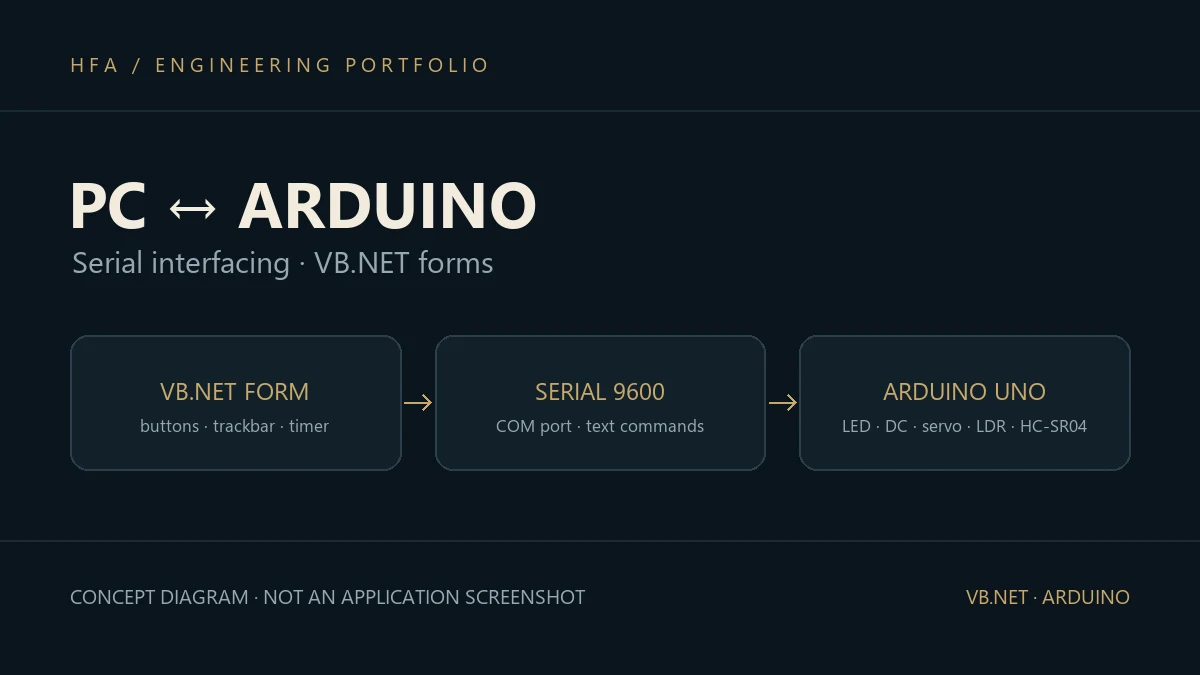
A year of lab experiments linking a VB.NET Windows program to an Arduino over the serial port: switching five LEDs and a DC motor, turning a servo from a track bar, and reading a potentiometer, a light sensor and an ultrasonic distance sensor onto the screen.
The problem
The PC displays and decides; the microcontroller reads sensors and drives loads. Linking the two is the basis of any operator interface (HMI), and the lab builds that link step by step, from a one-character command to a live sensor reading on screen.
Solution and data flow
Each experiment has two halves: an Arduino sketch, and a VB.NET Windows Forms program using System.IO.Ports.SerialPort at 9600 baud:
- Port selection: a combo box filled from
SerialPort.GetPortNameswhen it opens, and a Connect/Disconnect button that opens the port and starts a read timer. - Output: five LEDs on buttons that toggle red/green and send commands such as
11and10(LED number, then state), a DC motor on commands1and2, and a servo taking its angle from aTrackBar. - Input: a potentiometer and an LDR read with
analogRead, and an HC-SR04 that computes distance from the echo timepulseIn / 57. The value reaches the program, which recolours a field by range or moves a picture across the form by the distance.
Implementation and challenges
The main challenge is that data arrives in pieces: ReadExisting may return part of a number, so it has to pass IsNumeric or Integer.TryParse before use. In the exam tasks the reading range (0 to 1023) was split into four bands, each with its own colour. These are university lab experiments on an Arduino UNO.
Skills developed
PC-to-microcontroller serial communication, Windows Forms in VB.NET, reading analogue and digital sensors on Arduino, servo and DC motor control, and designing a simple command protocol.