
06 · TK-101 · Projects
Servo control panel in Python and Tkinter with a circular gauge
A Tkinter desktop panel with a 0 to 180 degree slider, buttons for 0, 90 and 180 degrees and a needle gauge, sending the angle to an Arduino over pySerial; the sketch on the board rejects any angle out of range.
The problem
After building control forms in VB.NET, the next step was an interface in another language that reads better at a glance: an operator wants to see the current angle, not only read a number.
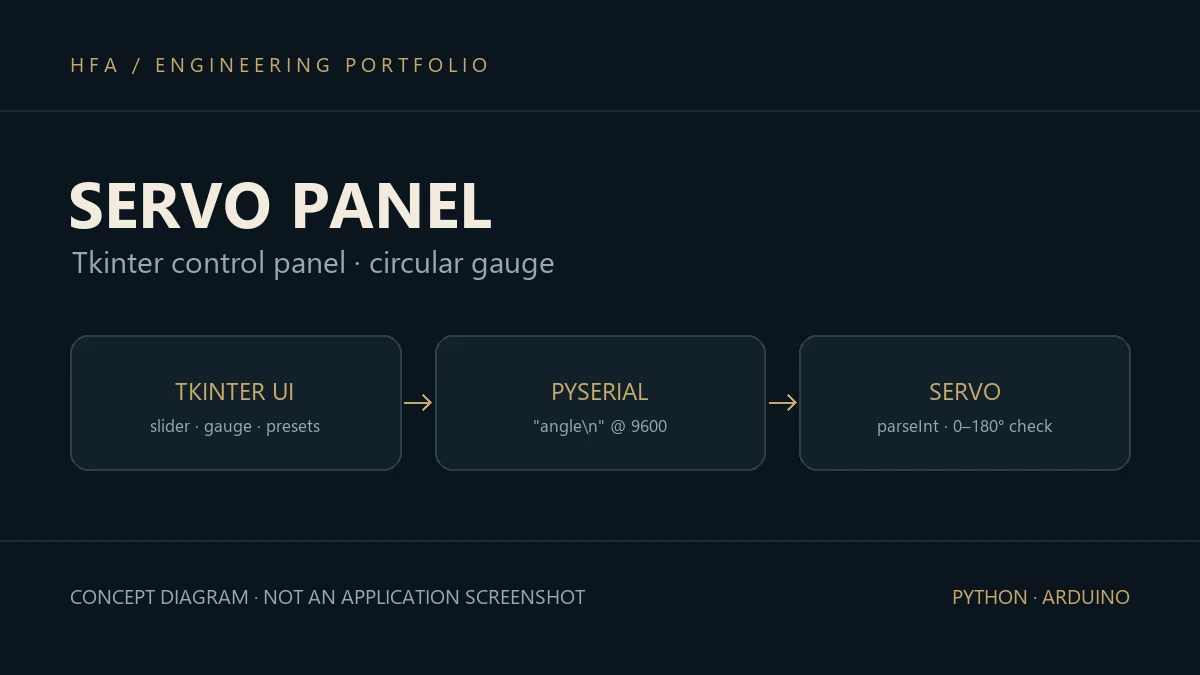
Solution and data flow
- Interface: a Tkinter window titled Servo Control Interface, with a
Scalefrom 0 to 180, buttons for 0°, 90° and 180°, and a label showing the current angle. - Circular gauge: a
CircularGaugeclass on aCanvasdraws a half-circle arc and a needle, mapping the value to a drawing angle and then to coordinates withcosandsin. - Sending: the angle goes out as newline-terminated text over
pySerialat 9600 baud, and is not sent if it is outside 0 to 180. - Board: the Arduino sketch reads the number with
Serial.parseInt, checks the range again beforemyServo.write, and replies with an error message when it is out of range.
Implementation and challenges
Checking the range on both ends stops a bad command from driving the servo into its mechanical end stop, even if it comes from another program. The serial port is closed when the window closes so it is not left locked. This was a personal exercise during the degree, on an Arduino board and a small hobby servo.
Skills developed
Tkinter interfaces and custom Canvas widgets, serial communication with pySerial, servo control, and range checking on both ends of a link.