
N8-101
n8n lead-scoring and notification bot (REM Waste challenge)
A complete n8n workflow that takes in a lead, validates it, scores it by budget and interest, stores it in Google Sheets and alerts the sales team on Slack with a Gemini-written analysis and pitch.
Images and interfaces
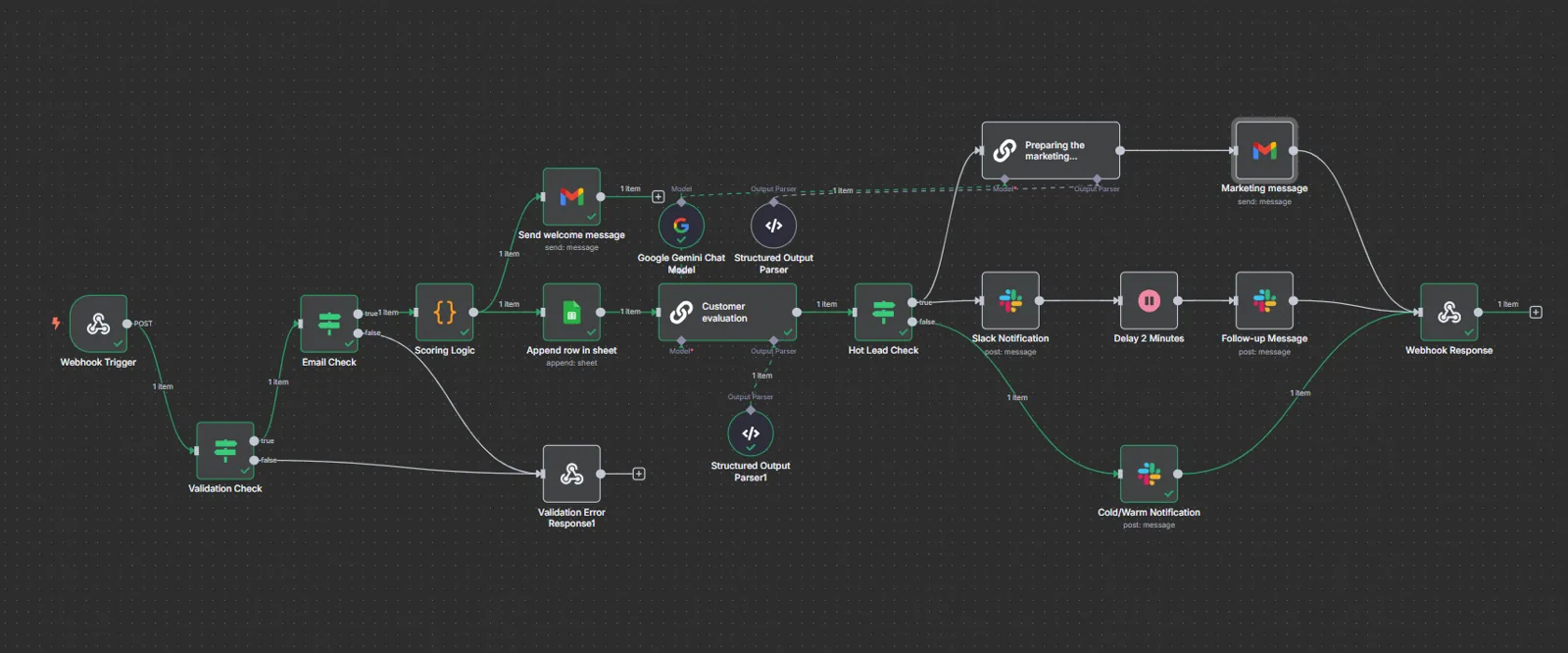

The challenge
A technical challenge from REM Waste: automate the intake, qualification and follow-up of marketing leads. The scenario is hypothetical and all data is test data, and the whole solution runs on free-tier tools.
How it works
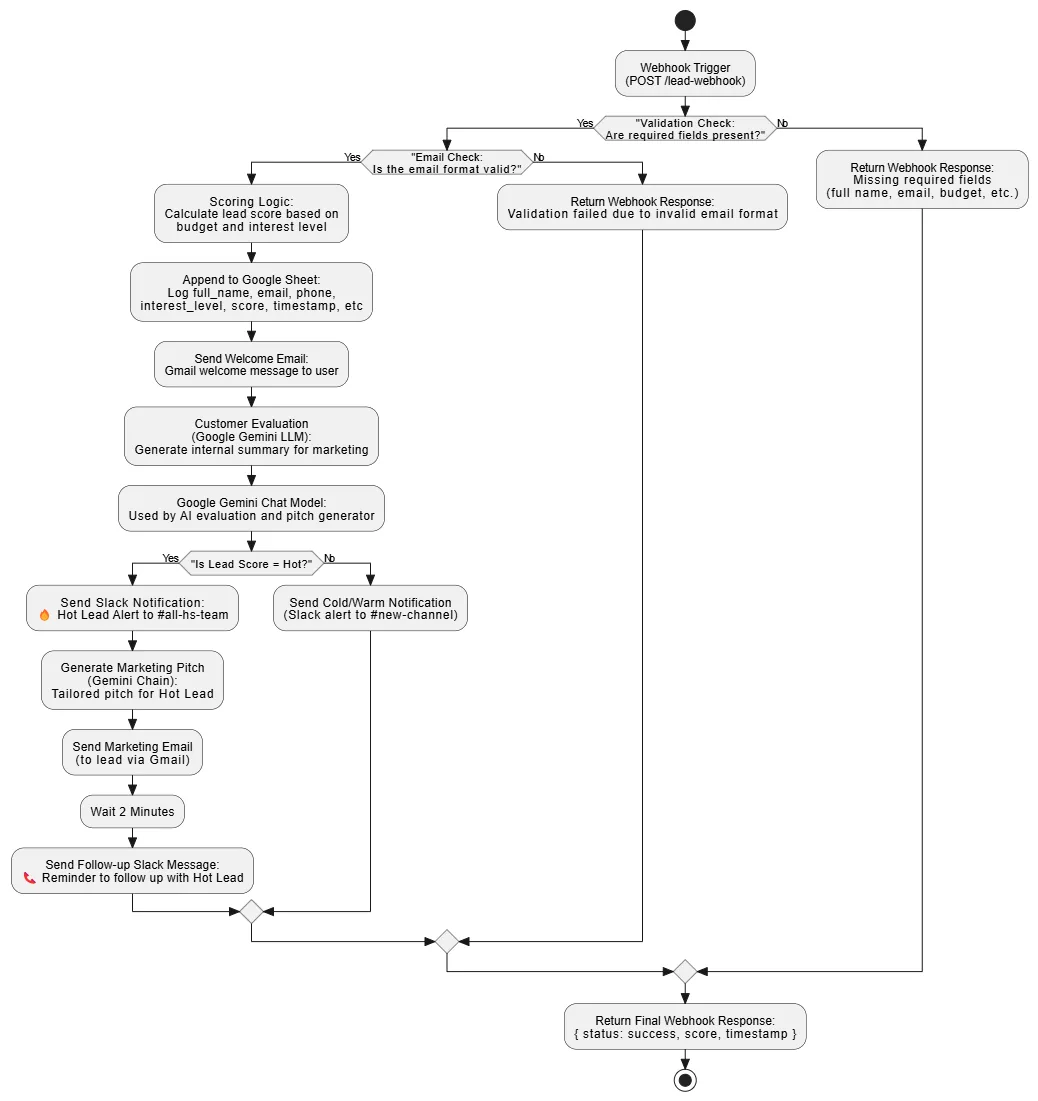
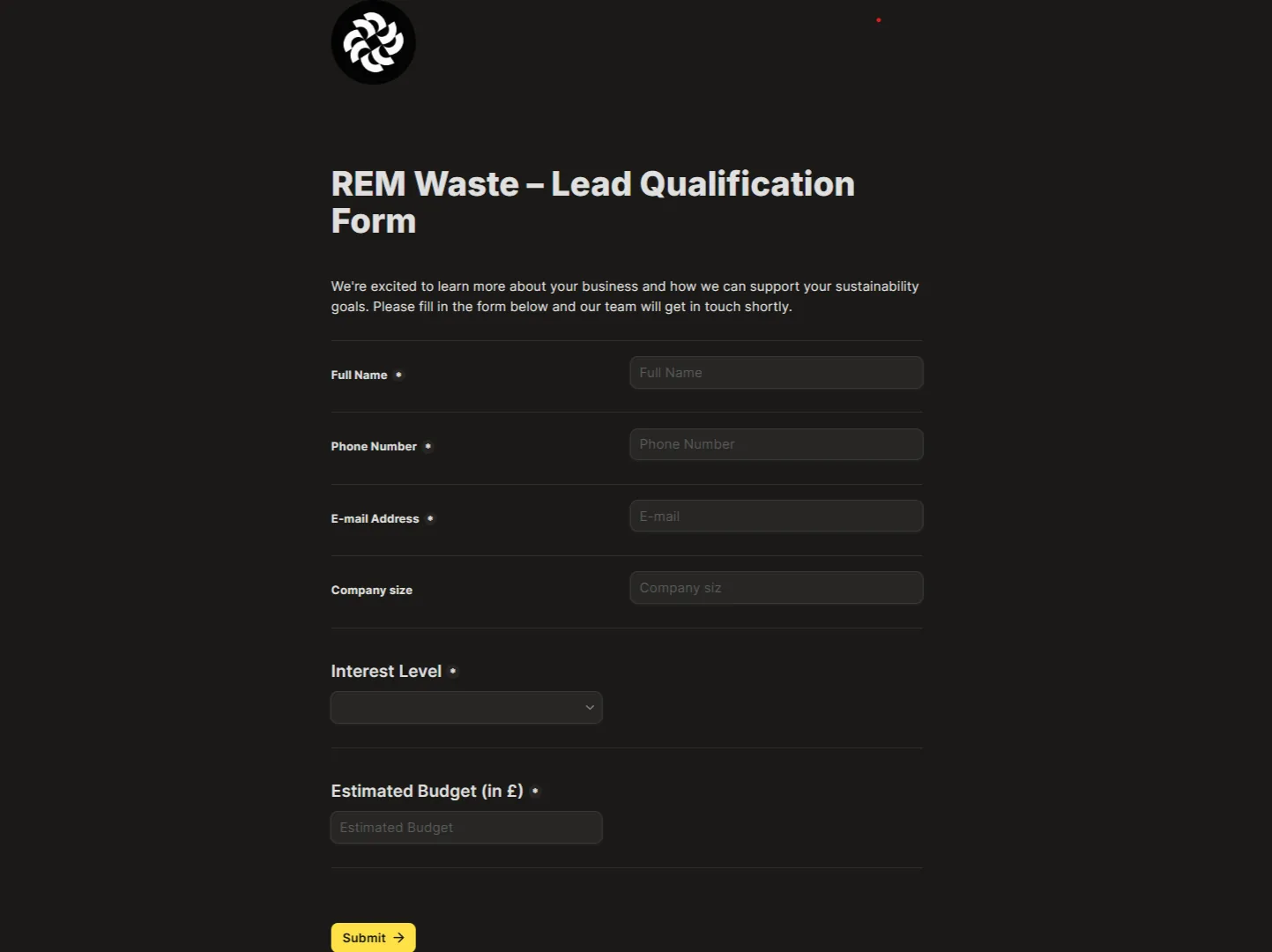
- Intake: a Tally.so form, or a direct POST, hits an n8n webhook.
- Validation: required fields (name, email, phone, company size, budget, interest level) and the email format are checked, with a clear response when something is wrong.
- Scoring: a JavaScript Code node grades the lead:
- Hot: budget over £5,000 with high interest.
- Warm: £1,000–5,000 with high or medium interest, or a large budget with medium interest.
- Cold: everything else.
- Storage: every lead is appended to Google Sheets with its score and a timestamp.
- Alerts: hot leads go to a dedicated Slack channel with full details; the rest go to a general tracking channel.
- Follow-up: a two-minute wait, then a Slack reminder to contact the hot lead.
AI
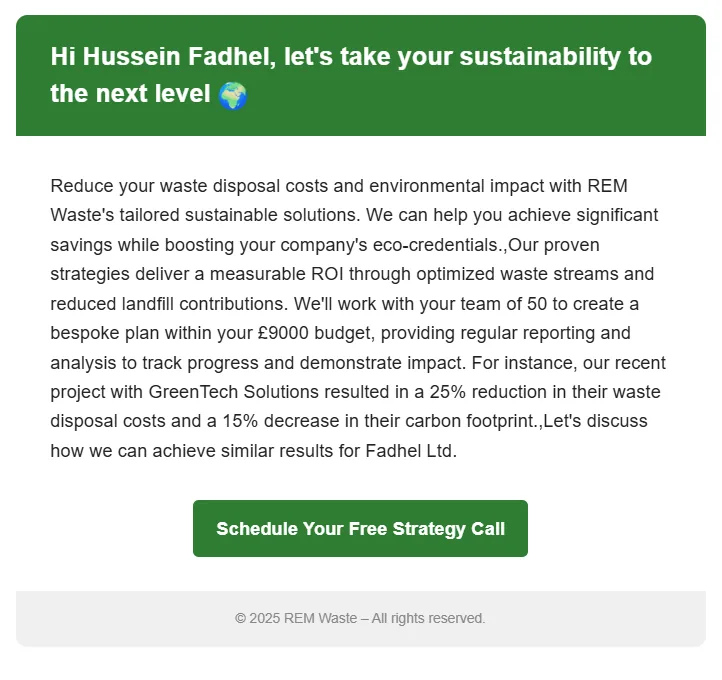
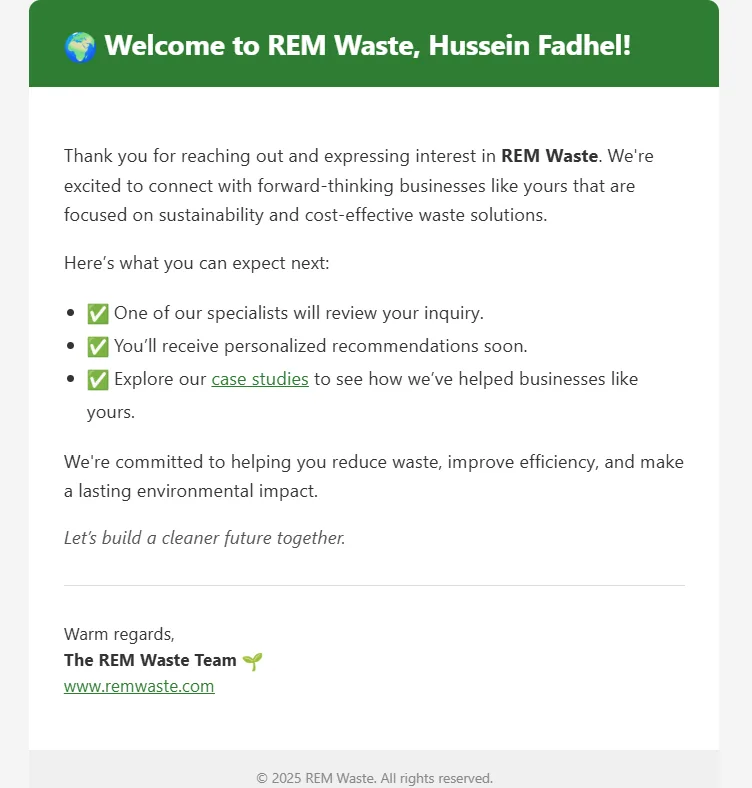
Google Gemini writes an internal summary for the sales team on every lead (why it matters, the expected value, next actions) and a personalised pitch for each hot lead based on its company size, interest and budget. The pitch goes out through Gmail, after a branded HTML welcome email sent the moment the form is submitted.
Next steps
CRM sync (HubSpot or Zoho), a fallback alert channel through Twilio or email, and email-based de-duplication before storing a lead.